Introduction
Everyone has to start somewhere in their betting journey. Before online betting existed, punters placed wagers in licensed betting shops or through local bookmakers. Today, online betting has transformed the entire experience, allowing you to browse markets, compare odds, and place bets with just a few taps from your phone, all while you're on your bed at home!
I have personally tested more than a dozen betting apps, studying how they work, how easy they are to navigate, and what beginners need to understand before placing their first bet. This guide brings together that experience to help you learn the essentials: how betting apps function, which features matter, how to avoid common mistakes, and what to expect when placing your first wager.By the end of this guide, you will have everything you need to place your first bet using a betting app.
What This Guide Covers
- What is a Betting App
- How to Choose a Betting App as a Beginner
- How to Create and Verify Your Betting App Account
- How Deposits and Withdrawals Work
- How To Use Betting App for the First Time
- How To Place Your First Bet (Step-by-Step)
- Common Beginner Mistakes (And How to Avoid Them)
- Which Betting Apps are Best for Beginners
- Related Guides
- Frequently Asked Questions
What is a Betting App
Simply put, a betting app is a mobile application that allows you to place wagers on sports, casino games, or other events directly from your phone or tablet. Think of it as a portable version of an online bookmaker: everything you’d normally do on a betting website, such as creating an account, depositing money, browsing odds, placing bets, and cashing out, can be done through the app, but with a smoother, more streamlined experience.
At its core, a betting app is designed to make wagering fast, convenient, and accessible. Instead of being tied to a computer, you can check live odds, follow in-play markets, or react to a match in real time from anywhere. This mobility is one of the biggest reasons betting apps have become the default choice for beginners and experienced bettors alike.
From a technical standpoint, betting apps combine secure payment systems, real-time data feeds, and user-friendly interfaces to create a safe environment for placing bets. Most reputable apps are licensed by recognised gambling authorities, use encryption to protect your information, and include built-in tools to help you manage your betting activity responsibly.
For beginners, the biggest advantage is simplicity. Betting apps are intentionally designed to guide you through the process, be it choosing a market, understanding odds format, or tracking your open bets. Many apps also offer features like personalised recommendations, live streaming, and quick-bet options, which make the experience feel intuitive even if you've never placed a bet before.
Core Elements That Every App Has
Even though betting apps may look different across brands, according to my testing, all betting apps share the same core elements. Understanding these key areas will help beginners navigate any app with confidence.
- Home Screen
- Sports Menu
- Betslip
- Account Area
Home Screen
The home screen is your central hub. It usually highlights the most popular events of the day, boosted odds, live matches, and quick links to major sports. For beginners, this is the easiest place to start because it gives you an instant overview of what’s happening right now and what the app wants to showcase. Many apps also personalise this area based on your betting history or favourite sports.
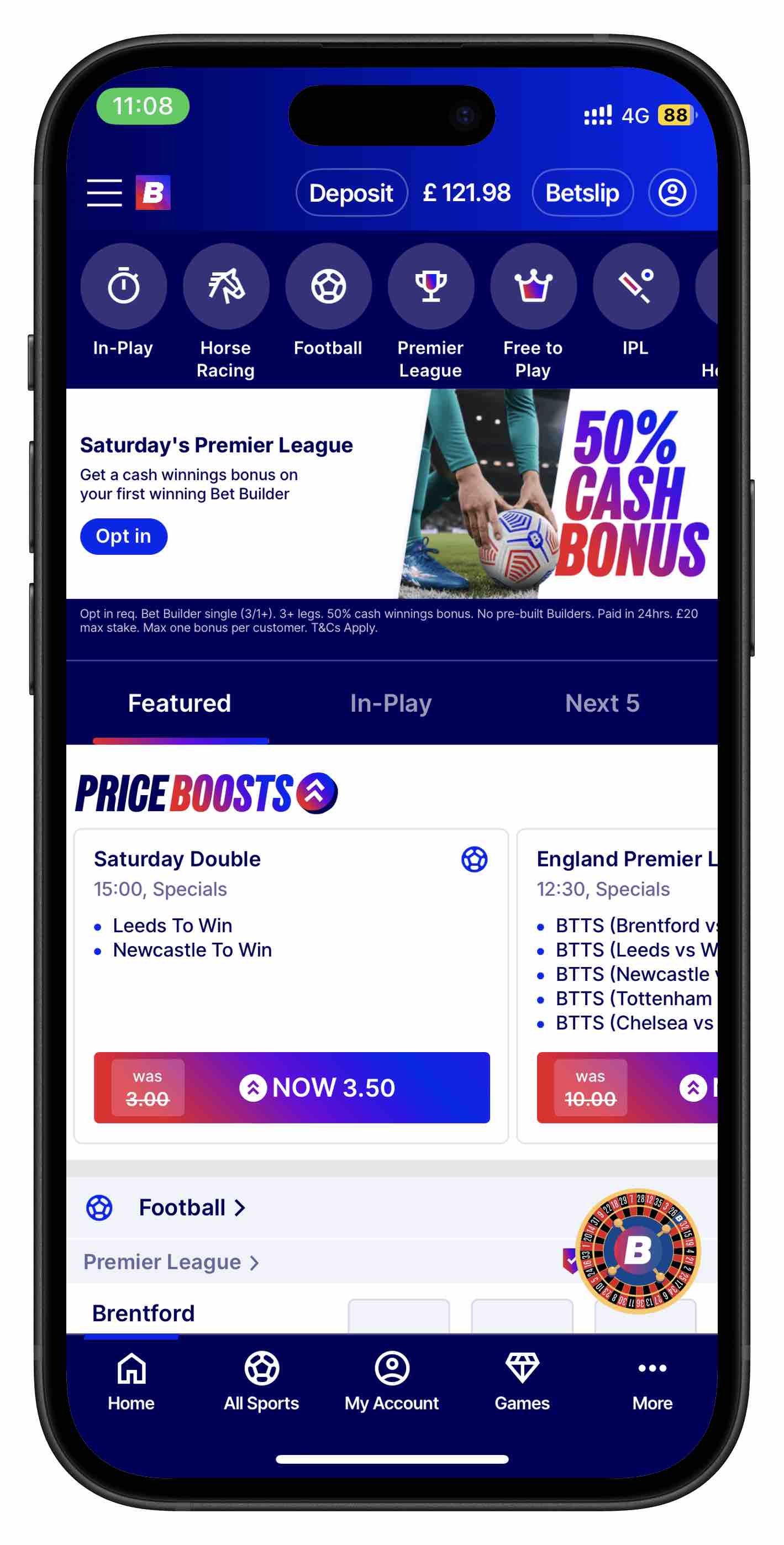
Homepage of Betfred app
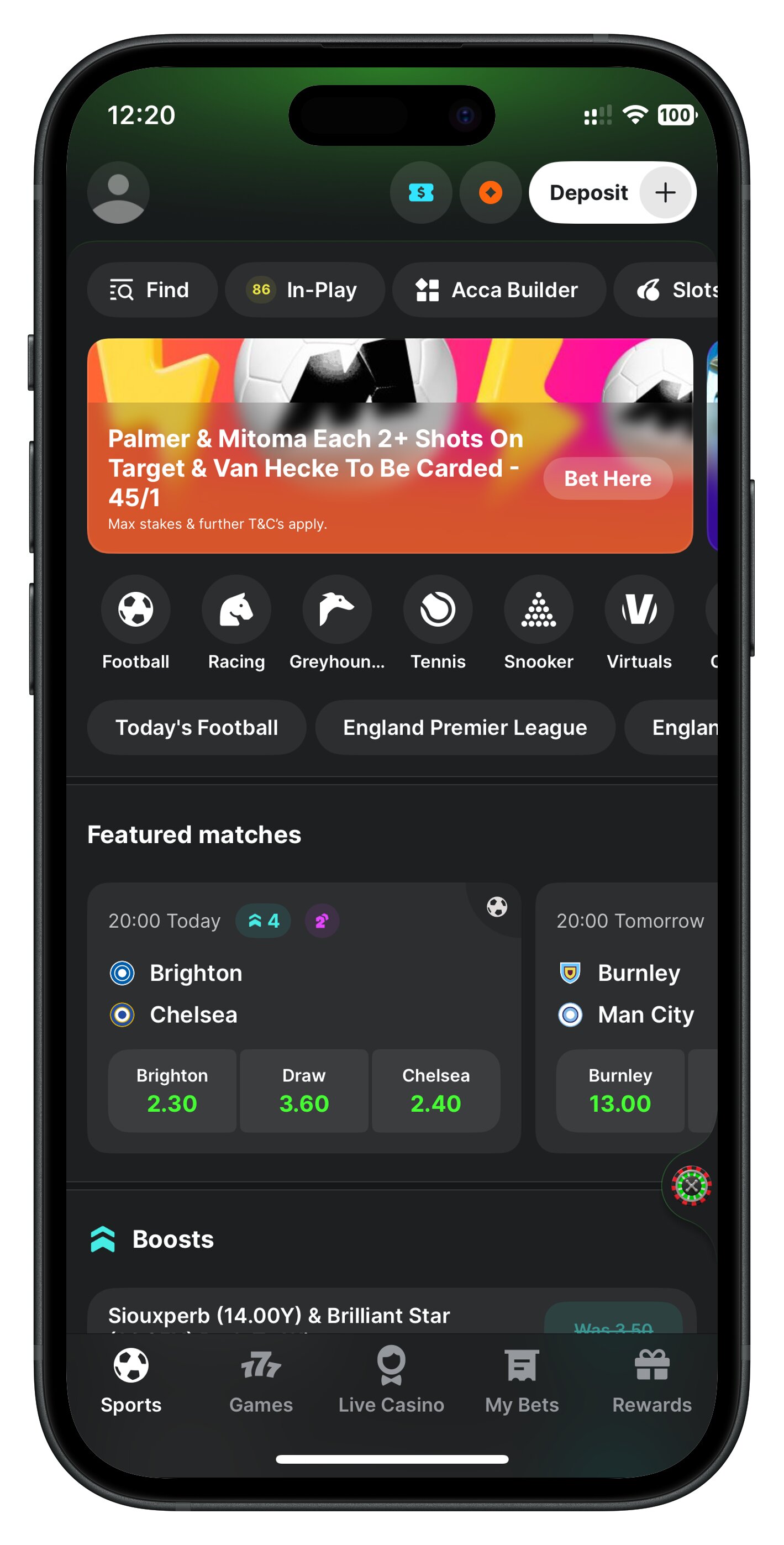
Homepage of Midnite app
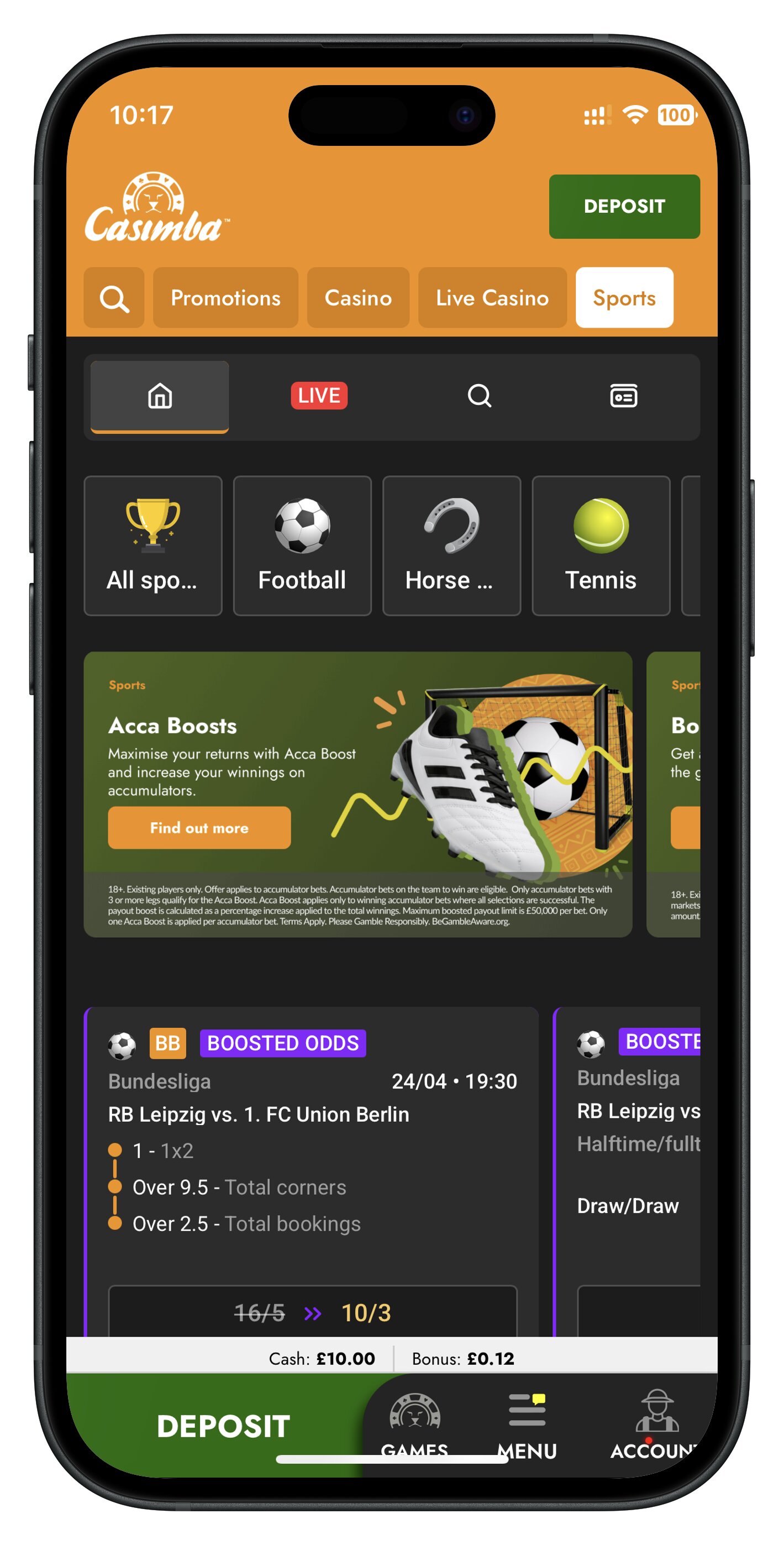
Homepage of Casimba app
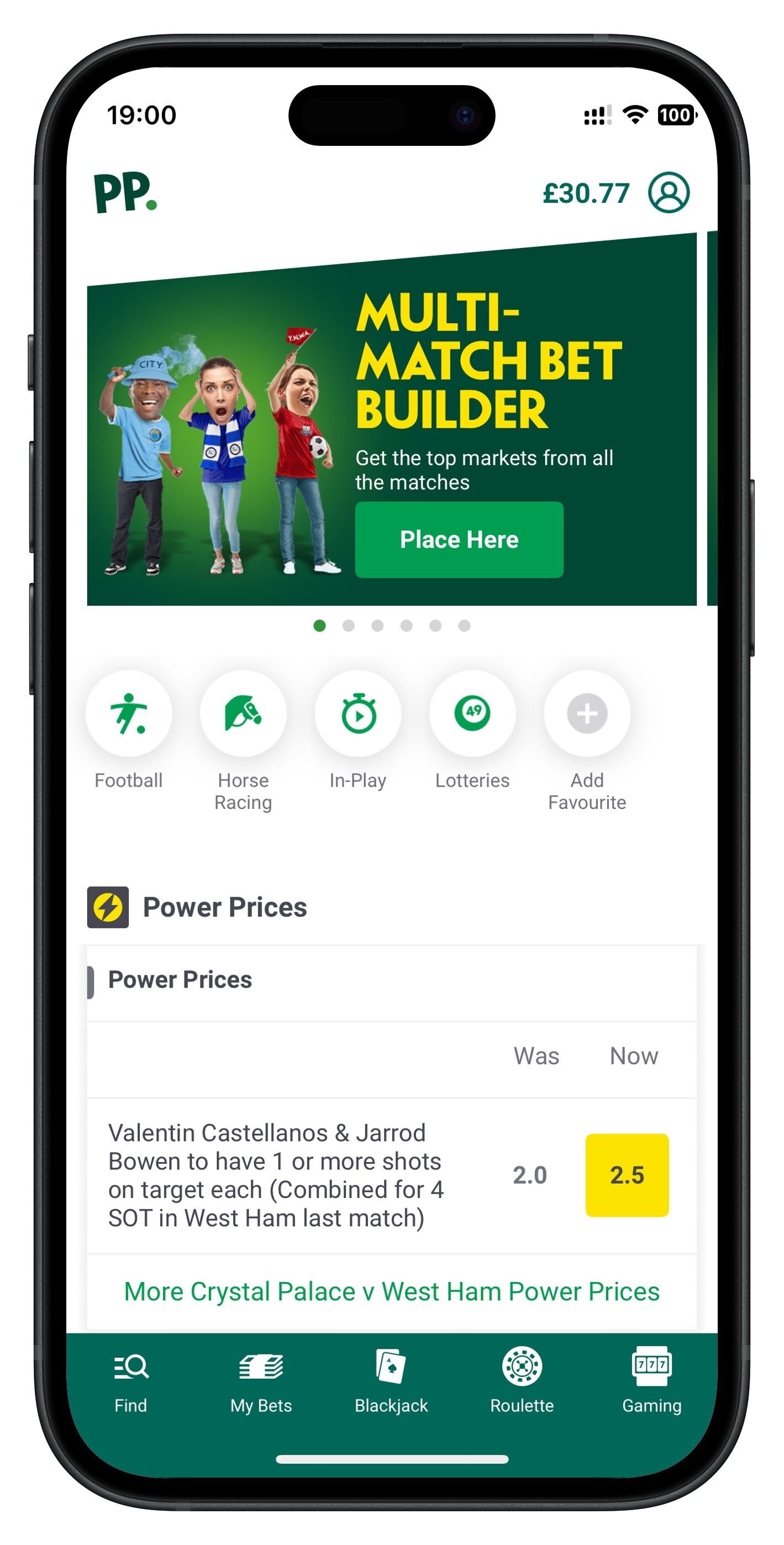
Homepage of Paddy Power app
Sports Menu
The sports menu is where you choose the sport or category you want to bet on. As of writing, it is most commonly displayed as a carousel-style navigation bar, listing everything from football and horse racing to niche markets like darts or esports. This menu acts as your navigation system, helping you jump straight to the sport you're interested in in one single tap.
Betslip
The betslip is the heart of any betting app; it is your means to place a bet. Every time you tap on a selection, it gets added to your betslip, where you can review your picks, adjust your stake, combine bets into accumulators, and see your potential returns. Think of it as your shopping cart before checkout. It's also where you confirm your bet, so understanding this area is essential before placing any real-money wagers.
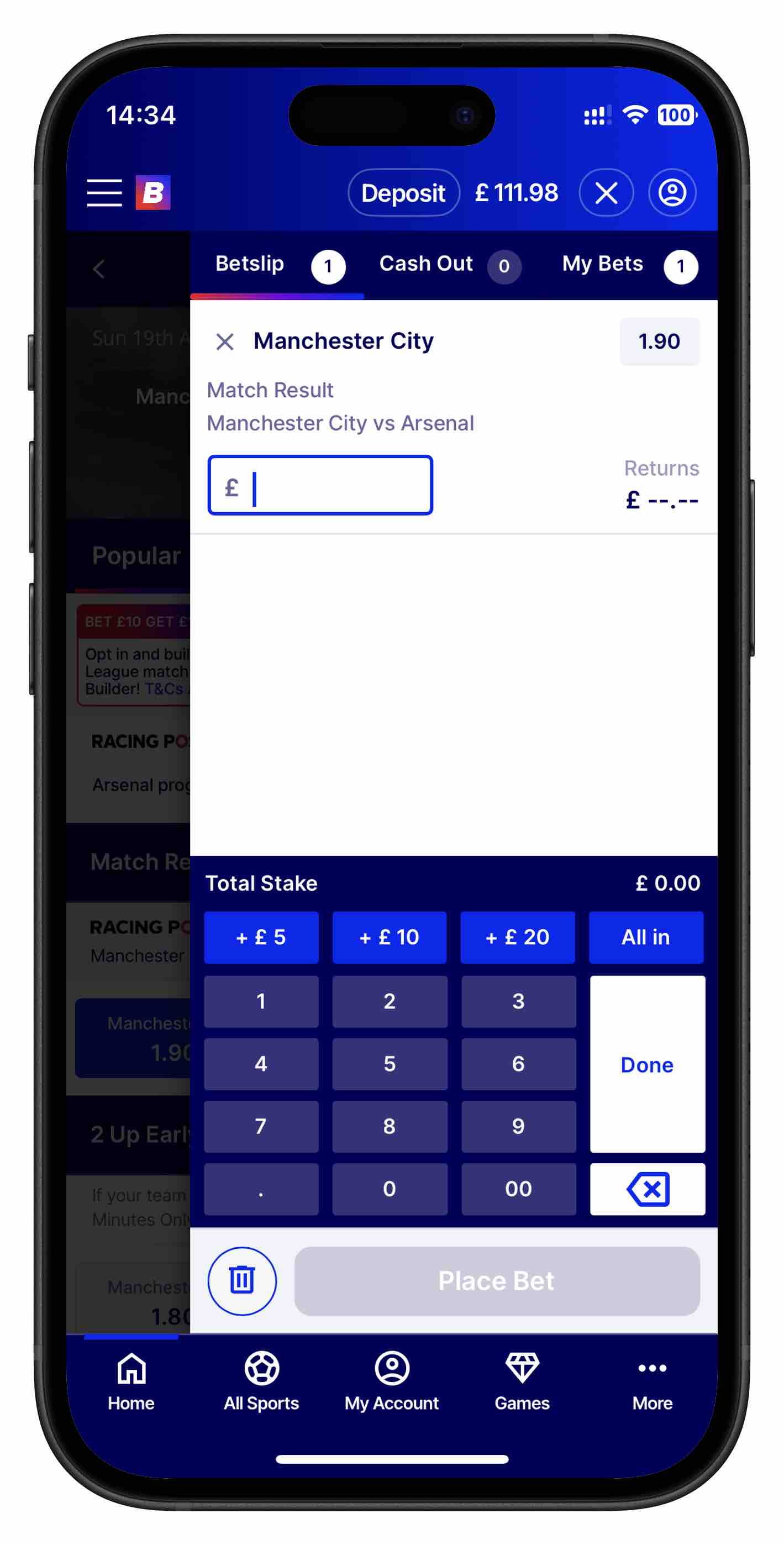
Betfred app Betslip
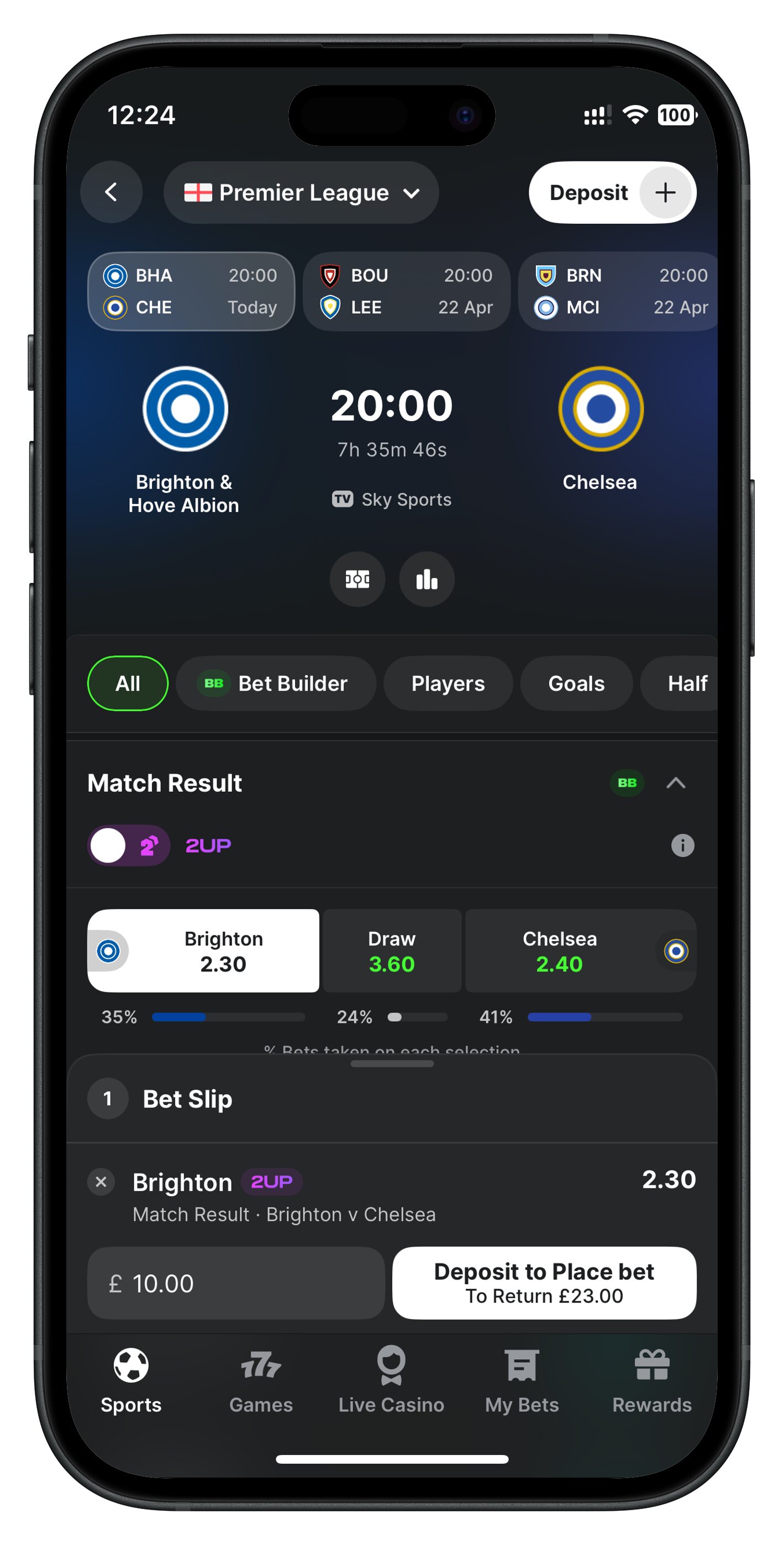
Midnite app Betslip
Account Area
The account area is where you manage administrative stuff related to your account, such as your balance, deposits, withdrawals, bonuses, settings, and responsible gambling tools. This section also includes verification documents, transaction history, and personal details. For beginners, it's important to get familiar with this area early on, especially for managing payments and setting limits.
Why Betting Apps Feel Different
Even though most betting apps share the same core features, they can feel completely different to use. That's because each brand makes deliberate design choices around layout, navigation, speed, and how much information they show on screen. For beginners, these differences can make one app feel intuitive and another feel overwhelming.
Layout
The layout determines how the app presents information, for example where menus sit, how markets are arranged, and how much space is given to odds, promotions, or live events. Some apps use a clean, minimal layout that focuses on the essentials, while others pack the home screen with offers, banners, and quick links. A good layout helps you find what you need without hunting around.
A clean layout helps beginners focus on the essentials — choosing a sport, selecting a market, and placing a bet without feeling rushed or overloaded. These apps often feel easier, faster, and more intuitive, especially when you're still learning how everything works.
Navigation
Navigation is all about how easily you can move from one part of the app to another. Some apps use a simple top or bottom menu with clear icons, while others rely on sidebars and dropdowns. If navigation is smooth, it is intuitive; however, if it is clunky, even trying to place a simple bet can feel like a chore. This is one of the contributing factors as to whether beginners stick with an app.
Speed
Speed plays a huge role in how an app feels. Fast-loading pages, instant betslip updates, and responsive buttons make the experience feel modern and reliable. Slower apps—especially during live betting—can feel frustrating or even risky if odds change before your bet goes through. Speed is also tied to how well the app handles real-time data, which varies from brand to brand.
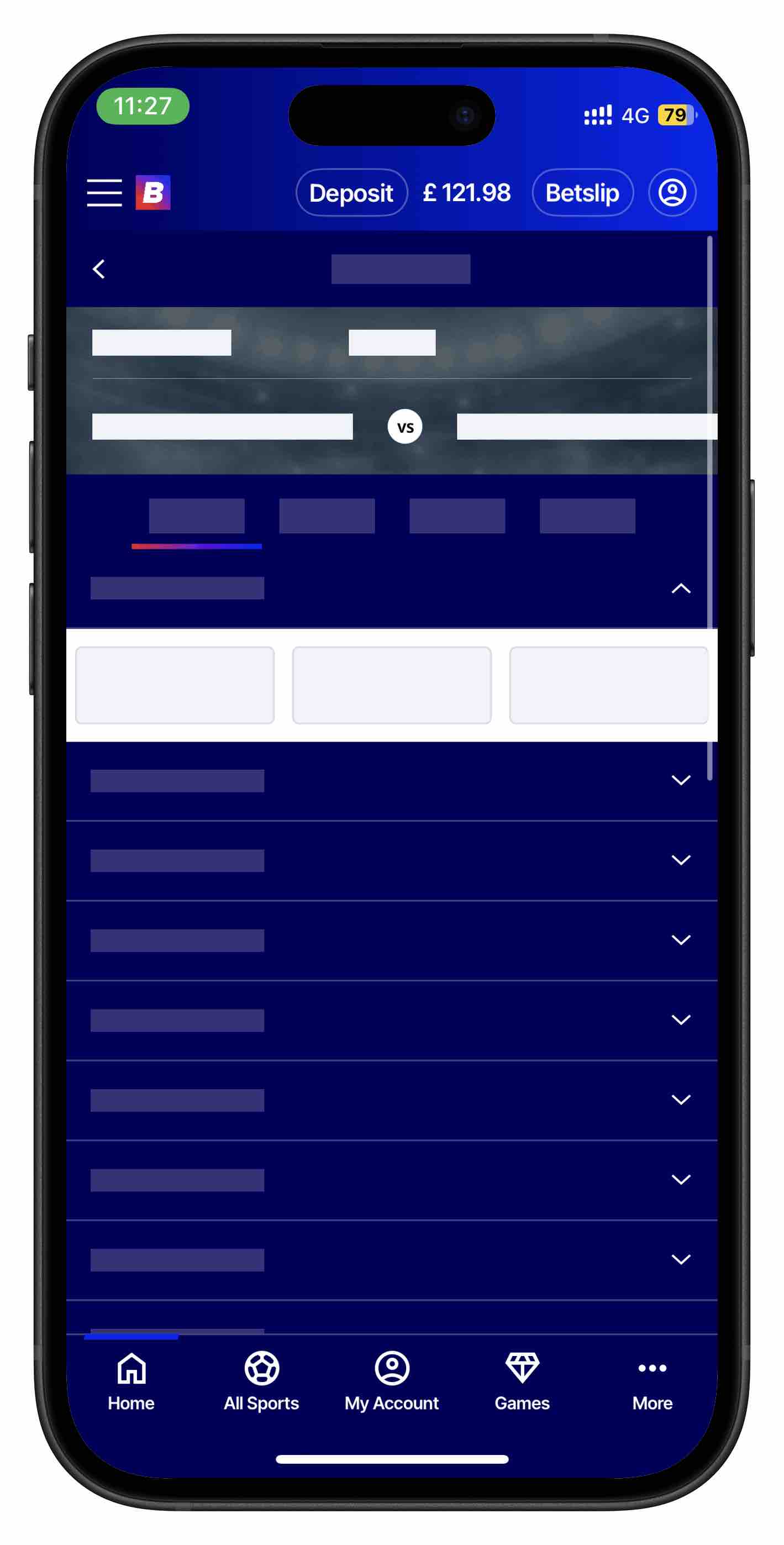
Loading screens, ughhh
Clutter vs. Simplicity
Some betting apps try to show you everything at once, filling the screen with promotions, long lists of markets, live scores, and intrusive pop-ups. This creates a cluttered experience where it becomes difficult to focus on the markets you actually want. When too much information is packed into a small space, beginners often feel overwhelmed, and simple tasks like finding a match or tapping the correct odds become harder than they should be.
Top betting apps take a much simpler approach and prioritise clarity. They use clean spacing, clear typography, and minimal distractions so you can move through the app without feeling rushed or confused. A simple layout helps you concentrate on the essentials: choosing a sport, selecting an event, reviewing your betslip, and placing your bet. It feels really good when an app behaves like a helpful passive assistant that intuitively guides you through your betting process.
Why This Matters for Beginners
When you're new to betting apps, simplicity reduces mistakes. A clean interface makes it easier to understand odds, navigate between pages, and review your betslip before confirming anything. Cluttered apps can make the learning curve steeper, while simple apps help you build confidence from the start.
How to Choose a Betting App as a Beginner
There are a lot of options in the market. As of writing, UK Gambling Commission has listed that there are currently 175 active operators licensed to accept bets online, and most of the bigger brands have apps available on both iOS and Android. But the truth is, the best apps all share a few qualities that make them easier, faster, and safer to use. Focusing on these elements will help you choose an app that feels comfortable from day one.
What to Look For in a Good Betting App
Betting does not need to be as complicated as it could be. As a fellow bettor, good betting apps should minimally have at least the following traits:
Simple Navigation
A beginner-friendly betting app should make it obvious where everything is. Clear menus, intuitive icons, and logical pathways (Home → Sport → Event → Betslip) mean you won't waste time hunting for markets or settings. If you can move around the app without thinking, that's a good sign.
Clear Betslip
The betslip is where your money decisions happen, so clarity is essential. A good app will show your selections, stake box, potential returns, and bet type (single, double, accumulator) in a clean, readable layout. You should be able to edit or remove selections instantly without confusion.
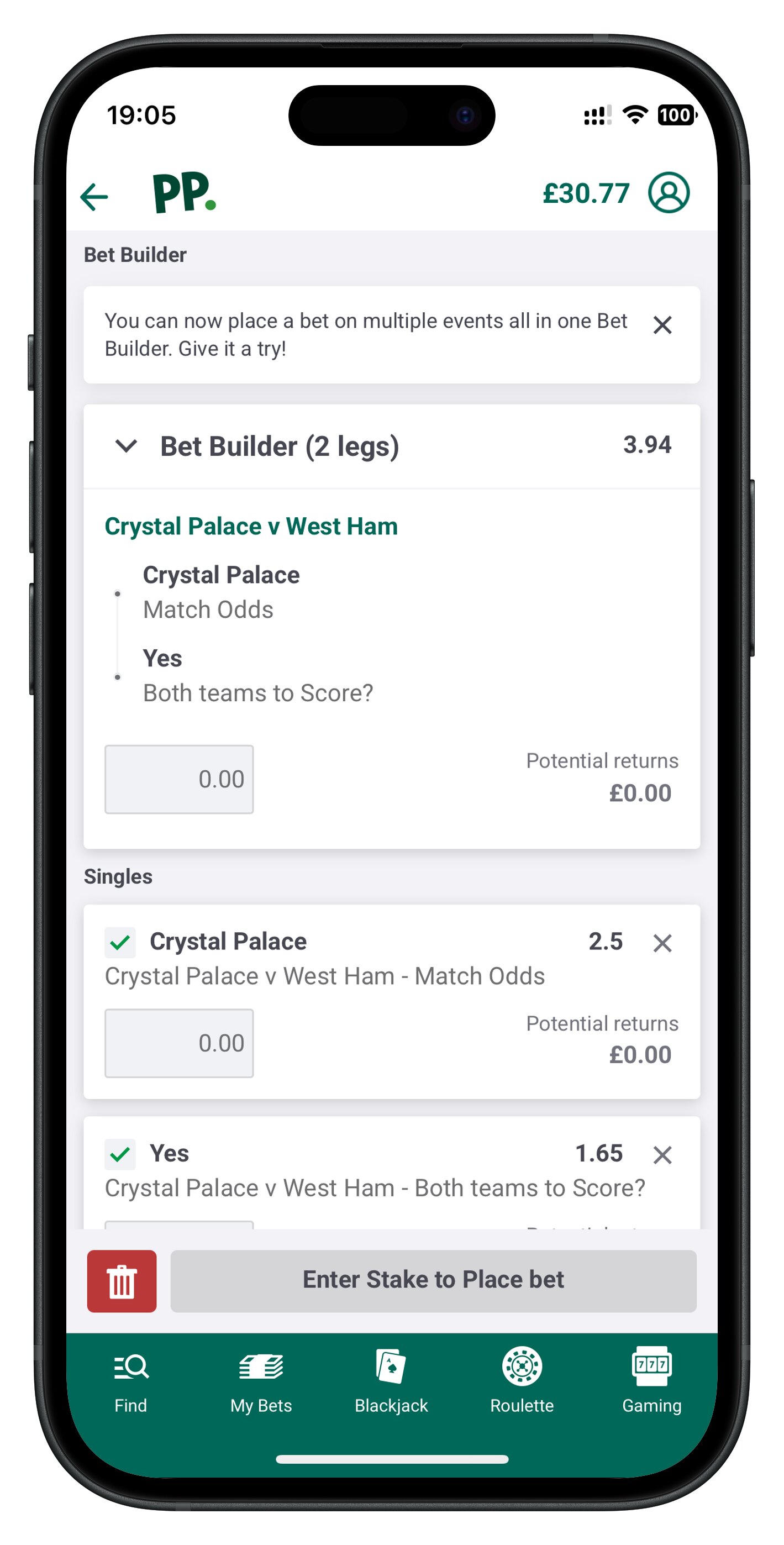
Paddy Power app Betslip, clean and without ambiguity
Fast Loading Times
Speed matters more than people realise. Fast-loading pages, instant odds updates, and responsive buttons make the whole experience smoother and more trustworthy. Slow apps can cause missed bets, rejected wagers, or frustration during live betting. A fast app feels modern and reliable.
According to Google's research, 53% of visits are likely to be abandoned if pages take longer than three seconds to load. Although the research was targeted toward mobile web pages, the takeaway is clear — users do not appreciate slow loading speeds.
Easy Odds Format Switching
Beginners often struggle with odds formats, whether is it fractional or decimal, so the app should let you switch formats quickly and easily. Ideally, this option is visible in the settings or even directly on the betslip.
Interestingly, despite an unspoken standardisation of user interface elements across most betting apps, the odds format switching functionality is never the same across different apps.
Red Flags to Look Out For in Betting Apps
Not every betting app is designed with beginners in mind. Some are cluttered, slow, or simply frustrating to use — and those issues can ruin the experience before you've even placed a bet. Spotting red flags early helps you avoid apps that feel confusing or unreliable.
Our full reviews of each individual betting app with screenshots are a good starting point for you to get a quick look-and-feel of what an app has to offer, including any red flags that you can spot.
Overloaded Home Screen
If the home screen is packed with banners, pop-ups, flashing promotions, and endless lists of markets, that's a warning sign. An overloaded interface makes it harder to find the basics and often signals that the app prioritises advertising over user experience. Beginners should look for apps that keep things clean and focused.
Confusing Menu Structure
If you can't figure out where the sports menu is, how to get to your betslip, or where the account settings are, the app's navigation is poorly designed. Confusing menus make even simple tasks feel complicated. A good betting app should guide you naturally from one step to the next without forcing you to guess.
Slow Live Updates
Live betting relies on real-time data. If odds take too long to refresh, buttons lag, or the app freezes during busy matches, it is a major red flag. Slow updates can cause missed bets, rejected wagers, or confusion about what odds you're actually getting. A reliable app should feel fast and responsive at all times.
The only scenario where speed of live updates don't matter is the group of bettors who are only interested exclusively in pre-match bets.
How to Create and Verify Your Betting App Account
What You Need to Get Started
Before you can place real-money bets, every betting app will ask you to verify your identity as part of KYC (Know Your Customer). Identity verification is a standard requirement across the gambling industry in the UK to ensure that the customer is of age, and by extension to conform to regulations. As a beginner, it is useful to know what documents you will need so you're not caught off guard. At the very minimum, there are two documents that are always requested:
- Proof of Identity
- Proof of Address
Proof of Identity
Most apps require a government-issued ID, such as:
- Driving License
- Passport
- National ID Card
Across more than 50 licensed bookmakers that I have signed up for so far, a UK Driving License is almost always preferred because this singular document satisfies both proof of identity and proof of address. Submission of this document alone is usually sufficient to satisfy KYC requirements.
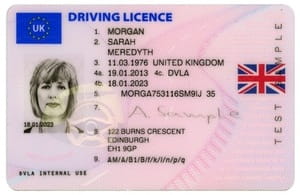
Sample Driving License
Proof of Address
If you choose not to use your UK Driving License as proof of identity (i.e., you don't have one), you will also need another document that confirms where you live. Common examples include:
- Bank statement
- Utility bill
- Council tax letter
In my experience, the proof of address must always be within the past 3 months. For bank statements, some operators can be especially strict, requiring a bank statement that spans at least 30 days.
Mobile phone bills are usually not accepted as they are not considered valid proof of address, but your mileage may vary.
Why Verification Is Required
Verification, also known as KYC, is a legal requirement for all licensed betting operators. It exists to protect both you and the platform in aspects such as:
- Age protection
- Fraud prevention
- Financial security
- Account safety
For beginners, it is important to understand that verification is not optional; it is part of responsible, regulated online betting.
How Different Apps Handle KYC
Not all betting apps verify accounts in the same way, although there is a limited number of ways that an app use to verify you. Some apps make the process instant, while others require manual checks or additional documents.
Instant Verification
Many modern apps use automated systems that scan your ID and match it to public databases. If everything lines up, your account can be verified in seconds with no extra steps.
Some brands prefer to outsource verification to third-party companies like Sumsub, Jumio, and Persona.
Manual Verification
For brands without automated verification systems in place or if their automated system fails to confirm your details (e.g., blurry photo, cropped edges), you'll be asked to upload documents manually. A support agent will then review them, which can take anywhere from a couple of hours to days.
Extra Checks
Some apps request additional documents, especially if:
- Your address doesn’t match your ID
- Your name has recently changed
- The system flags other inconsistencies
Extra checks may include a selfie holding your ID, or a second proof of address. I have only encountered two instances where I was asked to upload a selfie of myself holding my ID, but it is pretty rare.
How to Avoid Verification Delays
Adhere to Exact Requirements
Most verification delays happen because documents are unclear or that they do not meet the app's requirements. A few simple steps before submission can speed things up dramatically. Make sure your uploaded documents are:
- Fully visible (4 corners not covered)
- Well lit
- In focus
- Not cropped or edited
As much as possible, do your due diligence before uploading documents. The moment your application fails automated verification at any step, there will be manual intervention by the operator, and that will inevitably lead to delays.
Match Your Address Exactly
Your proof of address must match the address you entered during signup. Use documents that are:
- Clearly showing your name and address
- Even small differences, like abbreviations or missing flat numbers, can cause delays
- Strictly no older than 3 months
Pre-Verification Before Depositing
Some apps let you upload documents immediately after creating your account. Doing this early prevents issues later when you try to deposit or withdraw. My recommendation is to always complete verification before making your first deposit, to avoid withdrawal issues arising from incomplete verification in the future.
How Deposits and Withdrawals Work
Deposit Methods
When you're ready to add funds to a betting app, you'll find several payment options designed to be fast, secure, and beginner-friendly. Each method has its own strengths, so it helps to know what to expect. The most common payment option is debit card, and every single bookmaker that I have signed up for has it as their default deposit method.
Additionally, especially for payment methods that are clearly tied to your identity such as debit cards, the name of the cardholder has to be the same as the account you're depositing into. This is most likely a precaution against fraud.
Debit card
Debit cards (Visa, Mastercard) are the most common way to deposit. They're instant, widely accepted, and simple to use. Most beginners start here because it is easy, straightforward, and accessible.
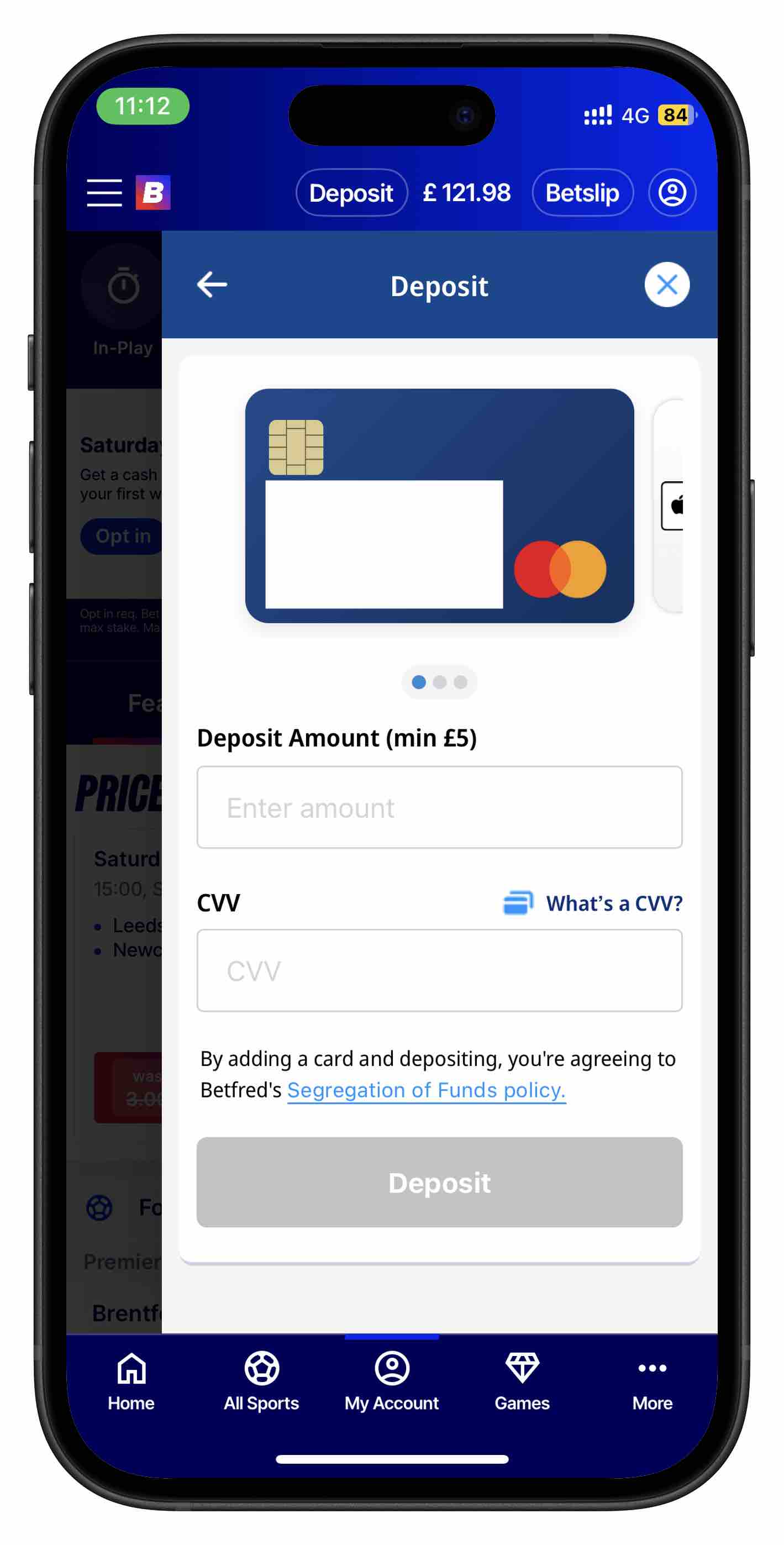
Betfred app deposit page
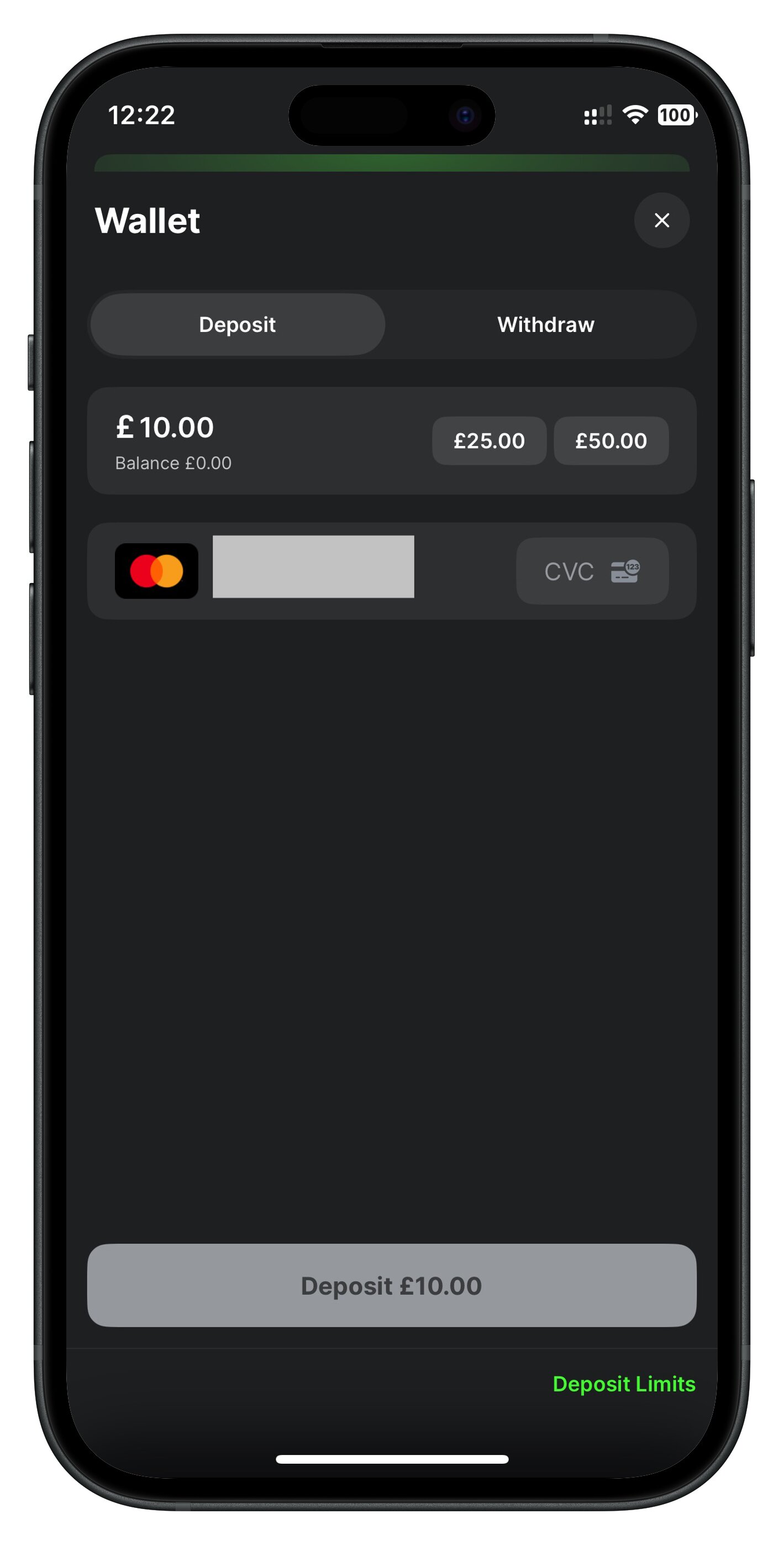
Midnite app deposit page
Operators also prefer deposits via debit card. This is clearly evident by the welcome promotions that they offer, where certain promotions are valid only via debit card deposits. Examples include Paddy Power, Betway, and Star Sports.
Apple Pay / Google Pay
Mobile wallet deposits are becoming increasingly popular. They're fast, secure, and extremely convenient. If you prefer quick, tap-to-confirm payments, these are ideal.
Paypal
PayPal is a favourite for users who want an extra layer of separation between their bank and the betting app. Deposits are usually instant, and withdrawals back to PayPal are often faster than bank transfers.
Neteller
Neteller is an e-wallet commonly used by frequent bettors. It is quick and reliable, though some apps exclude Neteller deposits from certain bonuses.
Skrill
Similar to Neteller, Skrill offers fast deposits and withdrawals. It is popular with users who want to keep betting transactions separate from their main bank account. Skrill deposits are also excluded from certain bonuses.
Bank Transfer
Most bigger brands offer bank transfers as a means to deposit funds. Some brands, such as Betfred, offer Instant Bank Transfer via integrations with selected banks.
Withdrawal Methods
Do note that due to anti-money laundering regulations, almost all betting apps will only allow you to withdraw from the same payment method that you have used to deposit your funds previously.
What Affects Withdrawal Speed
There are several factors that directly influence how quickly your money reaches you, and understanding them helps you avoid unnecessary delays.
Verification Status
If your account isn't fully verified, withdrawals will be delayed or blocked. Apps must confirm your identity before releasing funds, so completing KYC early is the best way to avoid hold-ups.
Payment Method
Different payment methods have different advertised speeds — PayPal and e-wallets are often same-day, while debit cards can take 1-3 days although in my experience it is usually within a few hours. Bank transfers typically take the longest. Choosing a faster method can make a noticeable difference in withdrawal speeds.
App Processing Time
The betting app itself also needs time to approve the withdrawal. Some apps process requests instantly; others can take several hours or even a full working day. This internal processing time is often the biggest variable.
In my experience, smaller withdrawals tend to be instantly approved, whereas bigger withdrawals (over £100) can take longer than expected. The fastest withdrawals I've had so far were with Midnite, Coral, and Ladbrokes, where funds appeared in my account a mere 15 minutes after I've initiated my withdrawal.
How To Use Betting App for the First Time
Getting comfortable with a betting app starts with understanding how the layout works. Even though the user interface can be vastly different between apps, the core structure is always the same, and knowing where key features live will make the whole experience feel much easier.
Where to Find Sports
Most apps place the sports menu in a navigation bar, which can appear literally anywhere on the homepage — top, middle, bottom, sidebar, you name it. This is your gateway to the main categories, such as football, horse racing, tennis, esports, and more. Once you tap a sport, the app filters all events so you can quickly find what you're looking for.
Where to Find Events
After selecting a sport, you'll land on the events page, which lists all upcoming fixtures, live matches, and major competitions. This is where you choose the specific match or market you want to bet on. Most apps will highlight popular upcoming events or show live scores directly on this page.
Where is the Betslip
The betslip most commonly appears as a pop-up after adding a selection, though it is sometimes also accessible via an icon at the bottom of the screen. It works like a shopping cart: every bet you tap gets added here. From the betslip, you can enter your stake, combine selections, select boosts & free bets if any, and confirm your bet.
A good Betslip is simple, easy-to-use, and usually contains a minimal amount of interactable elements, with an option to expand it for more granular selections.
Odds Format
Understanding odds is essential for beginners, and betting apps make it easy by offering multiple formats. The two most common formats are fractional and decimal, and switching between them is usually just a quick setting change.
I have always found it hard to find the option to change odds format, as it is typically hidden either near the bottom of the page, or somewhere deep into settings. Nevertheless, it always exist, and thankfully for most users they'll only need to toggle it once.
Fractional Odds
Fractional odds (e.g., 5/1, 7/2) are traditional in the UK. They show how much profit you’ll make relative to your stake. For example, 5/1 means you win £5 profit for every £1 staked.
Decimal Odds
Decimal odds (e.g., 2.00, 3.50) are popular in Europe and easier for beginners. The number represents your total return, including your stake. For example, 2.00 means a £10 bet returns £20, or simply put, a £10 profit when you win.
In a nutshell, decimal odds are always displayed 1.0 higher than fractional odds. However, the returns are exactly the same, and they are just different ways of showing the odds.
How to Place Your First Bet (Step-by-Step)
Assuming that you have successfully created and verified your account, you can finally start to place your first bet.
Step 1: Choose Your Sport
The first step in placing a bet on any betting app is choosing your sport. Head to the sports menu navigation bar and browse the list of available options. Popular choices like football and horse racing are always visible from the onset, while niche sports will requiring scrolling. Once you tap your chosen sport, the app will filter everything to show only relevant events.
Paddy Power homepage
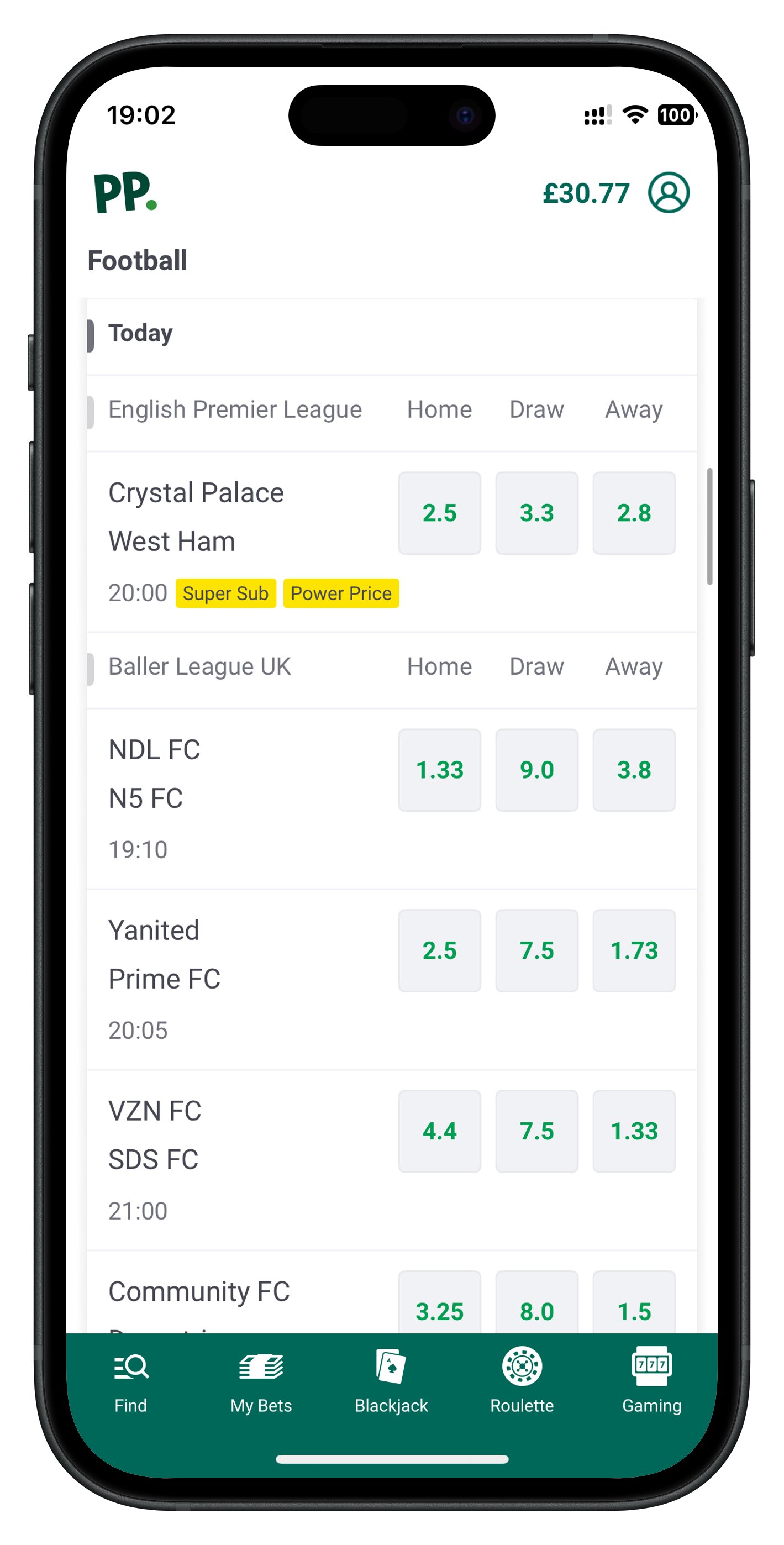
Paddy Power football matches
Step 2: Select Your Event
After picking a sport, you'll see a list of leagues, competitions, and fixtures. This is your events page. Here you choose the specific match or race you want to bet on, like a Premier League game, a Champions League tie, or a particular race on today's card. Many apps also highlight live events, upcoming kick-offs, and popular markets to help you decide quickly.
Step 3: Tap the Odds
Once you've opened an event, you'll see a range of markets with odds next to each outcome. To make a selection, simply tap the odds for the result you want, such as Home Win, Away Win, Over 2.5 Goals, or First Goalscorer. When you tap, the selection is automatically added to your betslip. You can repeat this for multiple markets if you want to build an accumulator.
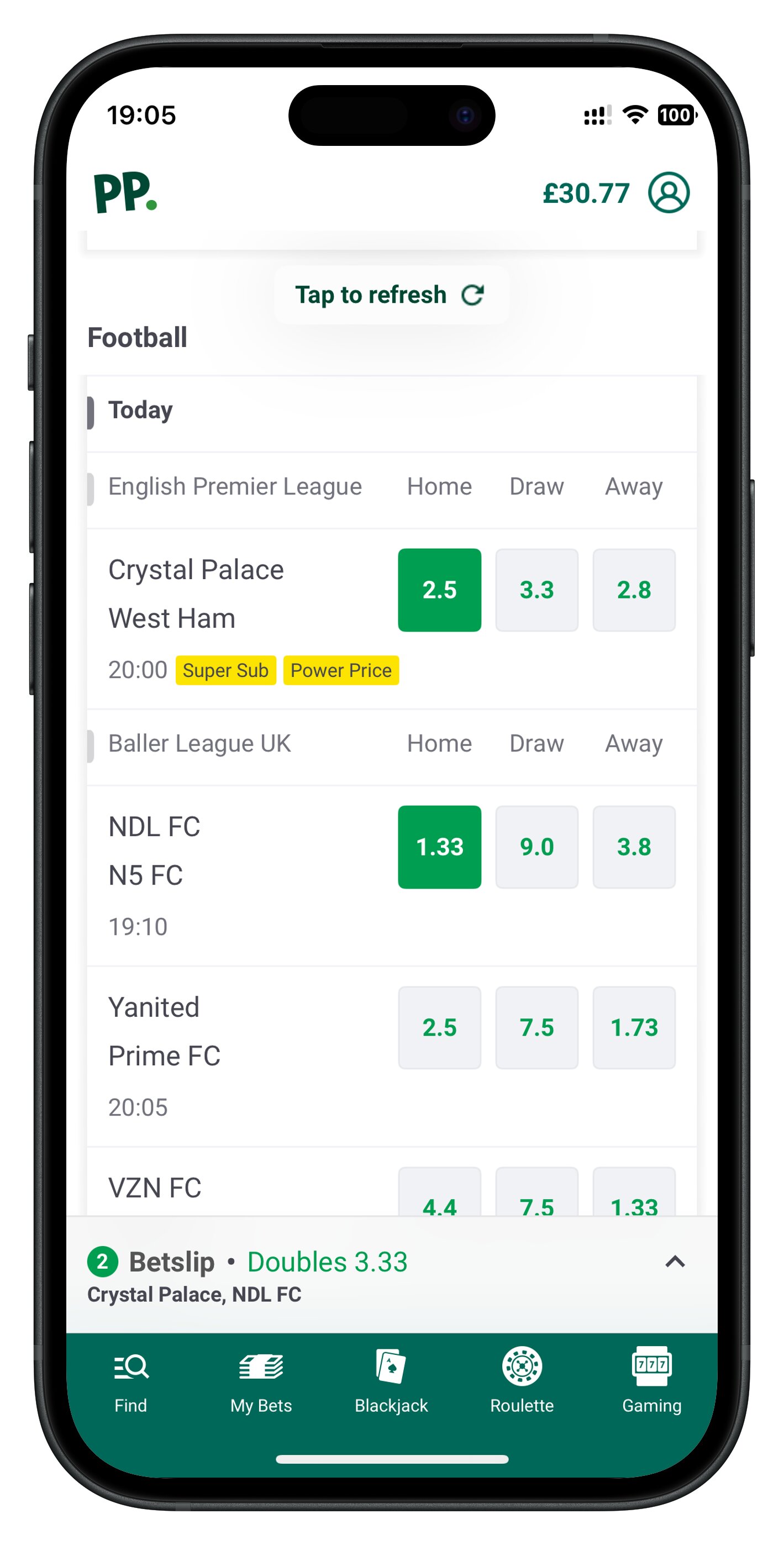
Picking two selections
In the example above, I picked Home Win for both Crystal Palace vs West Ham and NDL FC vs N5 FC matches.
Step 4: Open Your Betslip
After tapping the odds, your betslip will either pop up automatically or be accessible via either an icon or a tab, usually at the bottom of the screen. The betslip shows all your current selections, the type of bet (single, multiple, accumulator), and the combined odds if you've added more than one pick. This is your review stage (analogous to checkout page in e-commerce); check everything is correct before entering any money.
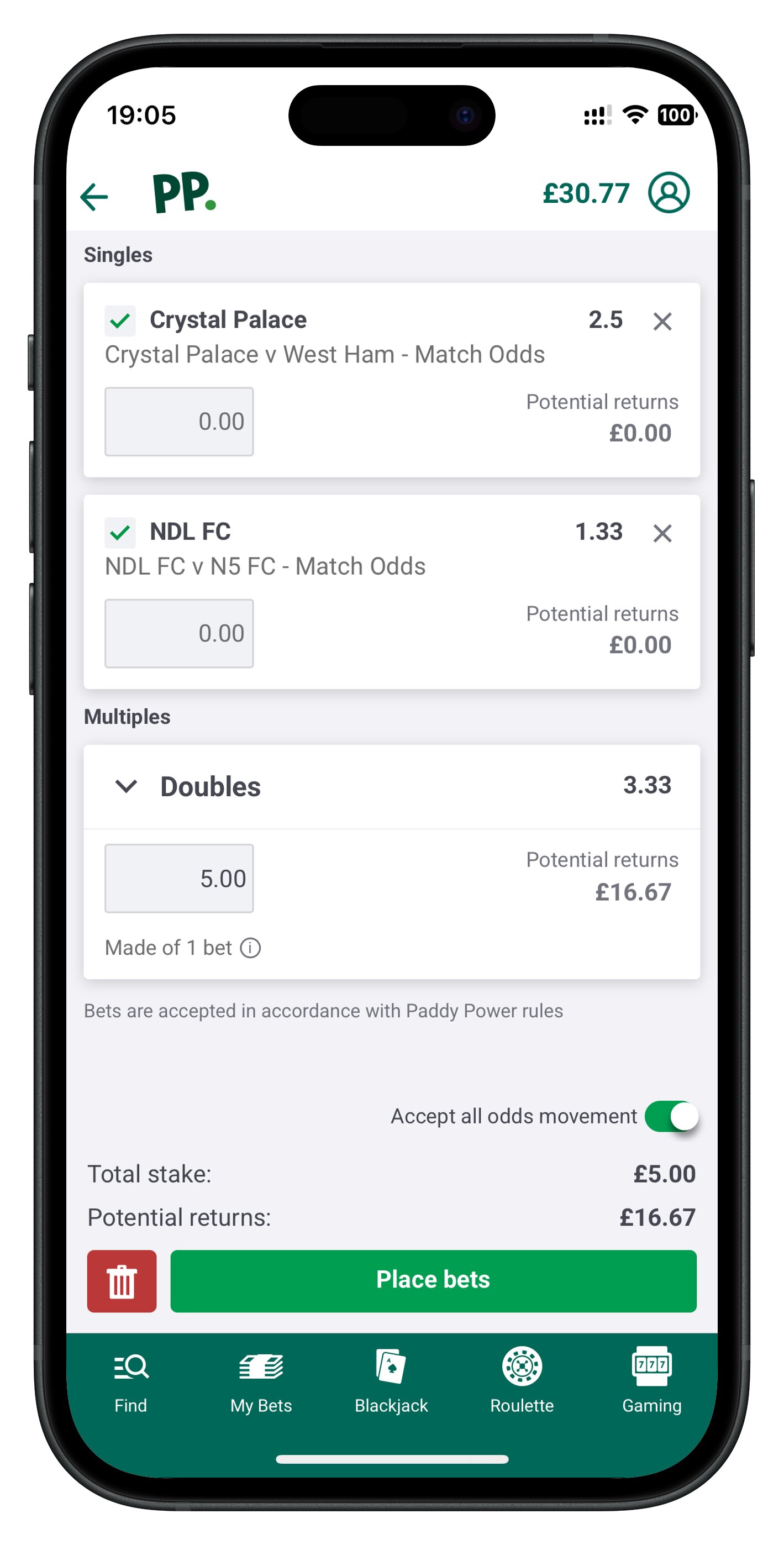
Opening my Betslip
Step 5: Enter Your Stake
Inside the betslip, you'll see an input box where you can enter your stake. This is the amount of money you want to bet. In some apps, a default stake is already entered for you (e.g., £10), and a few apps even allow you to configure your default stake.
As you type, most apps automatically update your potential returns, so you can see how much you stand to win if the bet comes in. You can also remove selections, change bet types, or adjust stakes for individual lines if the app supports it. Just like a shopping cart.
Step 6: Confirm Your Bet
Once you're happy with your selections and stake, it's time to confirm your bet. Tap the button usually labelled Place Bet, Confirm, or Submit. The app will process your request and then show a confirmation message or receipt. At this point, your bet is live, and you'll be able to track it in the Open Bets or My Bets section.
Tips From Testing Multiple Apps
Testing different betting apps reveals big differences in how easy they are to use, especially around the betslip and bet acceptance speed. While every brand has its own style, a few patterns stand out that beginners should pay attention to.
Traits of a Good Betslip
The best betslips usually share these traits:
- Plain, readable layout: Selections are listed in a simple column with clear team names and markets. Odds and payouts are clearly shown.
- Obvious stake box: There's a single, easy-to-find field for your stake, plus separate ones for multiples if needed.
- Instant potential returns: The app shows your possible payout as soon as you enter a stake.
- Easy editing: Removing or changing a selection takes one tap, without reloading the whole screen.
If a betslip looks cramped, overloaded with tiny text, is confusing to use, or hides key info behind extra taps, it's not beginner-friendly.
Traits of Good Bet Acceptance Speed
The fastest-feeling apps tend to:
- Process bets in seconds: You tap Place Bet and get an immediate confirmation, even during live events.
- Update odds smoothly: If odds change, they clearly warn you and let you accept or reject the new price quickly.
- Avoid unnecessary pop-ups: Fewer interruptions mean your bet goes through faster.
In general, apps with modern design, good servers, and streamlined betslips accept bets noticeably quicker than older, less-optimised platforms. As a beginner, you'll naturally gravitate toward the ones that feel smooth, responsive, and predictable when you press that final Place Bet button.
Common Beginner Mistakes (And How to Avoid Them)
Even the simplest betting apps can trip up new users. These are the most common mistakes beginners make — and the ones that can easily be avoided with a bit of awareness.
Mistapping Odds
On busy screens, especially during live betting, it's easy to tap the wrong odds or select the wrong market. A single mis-tap can add an unwanted selection to your betslip or change your intended bet entirely. Always double-check the selection name before confirming.
Forgetting to Check the Betslip
Many beginners rush straight to the Place Bet button without reviewing their betslip. This leads to:
- Wrong stakes: Have you placed a £100 wager when you intended to do a tenner instead?
- Extra selections: I thought I won my 3-legged acca, only to find out I placed an extra leg
Always confirm the details found in your Betslip before placing a bet.
Using Fractional Odds Without Understanding Them
Fractional odds can be confusing if you're new to betting. They are less intuitive to calculate (I've never heard anyone say "I've won 11/3 quids!") or assume they work like decimals. If fractional odds feel unclear, switch to decimal format — it's easier to understand and reduces mistakes.
Missing Free Bet Terms
Free bets and bonuses always come with conditions, some more restrictive than others. Beginners often miss:
- Minimum odds requirements: if qualifying stakes requires min. odds 2.0+, your bet has to be of odds 2.0 or more.
- Eligible markets: some promotions are only applicable to certain markets (e.g., Cheltenham offers only on horse racing)
- Expiry times: free bets tend to expire within a week, some even within the next 24 hours.
- Stake-Not-Returned (SNR) rules: As of 2026, every single free bet I've encountered are SNR.
- Use in Full: Some free bets can only be used as a whole, instead of splitting it into multiple bets.
Not reading the terms means you might use a free bet incorrectly or lose its value entirely.
Trying Live Betting on Slow Apps
Live betting demands speed. If the app is slow to update odds or accept bets, beginners often end up with:
- Rejected bets: Bets are not accepted because the odds have shifted against your favor.
- Changed prices: Odds can shift against your favor during lags, which can be frustrating.
- Missed opportunities: Right before critical moments, betting may be halted temporarily.
A sluggish app makes live betting frustrating, and you should only stick to pre-match markets on slower apps. If you enjoy live betting, always select an app that can handle in-play markets smoothly.
Which Betting Apps Are Best for Beginners
Congratulations for reaching the end of this guide! I hope that you are now equipped with sufficient knowledge on how to start your betting journey online, and place your first bet.
We have curated several ranked categories of betting apps, so feel free to check them out to understand what is best for you: